
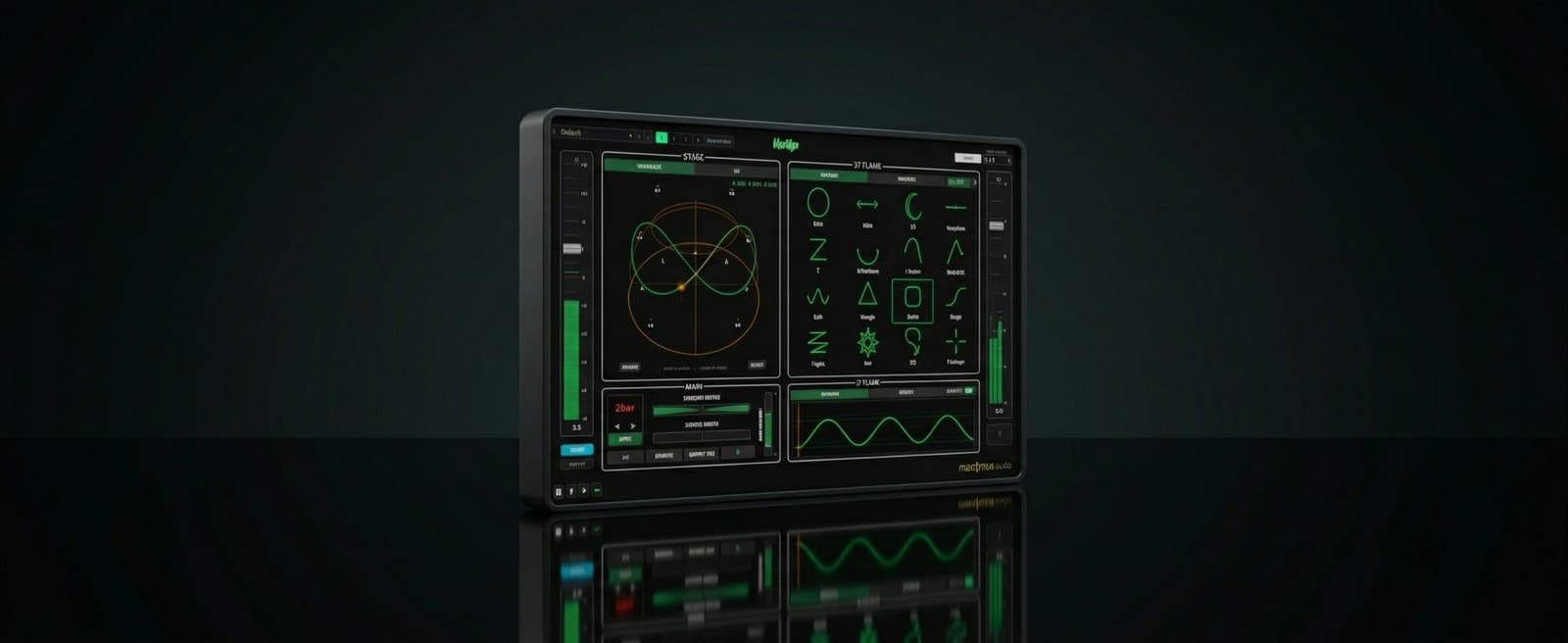
Vert1goA unique spatial and surround auto panner with unlimited creative potential .
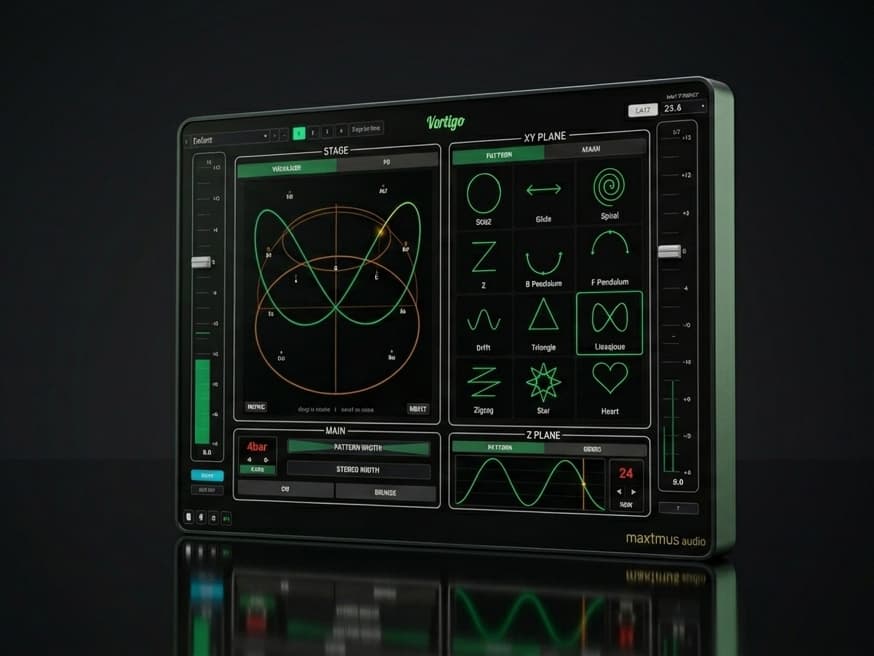
Features
- Twelve dedicated movement patterns
- Draw your own XY and height paths
- Independent height engine with 100 preset shapes
- XYZ automation data export (to use on objects)
- Surround output up to 9.1.6
- Surround input up to 9.1.6
- Ambisonics compatibility up to 7OA
- Sample-accurate DAW tempo sync
- 32-step trance gate with full ADSR
- Tempo synched LP, HP and BP Filter
- Modulation FX engine including flange, phaser & chorus
- 192 hand-tuned factory presets
- Tap tempo / Set non synched tempo
- Pattern direction modifier (clockwise/anti-clockwise)
- Bounce mode (ping-pong)
- One-click Retrigger
Video Walkthrough
This demo showcases spatial audio. Choose your listening setup for the best experience.
Choose your listening setup above to get started
This demo features spatial audio. Selecting headphones, surround speakers, or stereo ensures you hear the best version for your setup.
Vert1go - Spatial Auto Panner for Atmos, Immersive & Surround Mixes
Vert1go was built for one purpose: to translate the spatial panning ideas in your head straight into your speakers.
There is nothing else like this.
Every other "auto-pan" plugin on the market is stereo. Surround panning has always been about manual placement — drawing trajectories, automating lane by lane, or using a joystick. The few tools that tried to automate it are locked to one DAW and built around a single LFO. Vert1go is the first plugin to bring proper pattern-based auto-panning to full surround, Dolby Atmos and Apple Spatial — and the only one that works in any DAW, with your DAW's built-in renderer, without being tied to the Dolby Atmos External Renderer like Dolby's own Music Panner. Twelve movement engines, sample-accurate tempo lock, and you can draw your own pan paths for XY and height, oh and you can also use a step sequenced gate, synched filter and modulation effects too!
Twelve movement patterns, all surround-aware
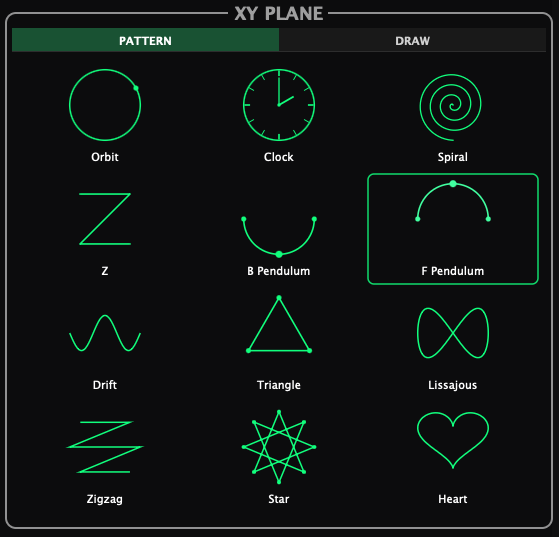
Twelve dedicated DSP modules, not a single LFO with twelve presets — twelve distinct ways of moving a sound through 3D space:
Orbit — circular motion around the listener. The classic Atmos panner move, perfectly executed.
Clock — teleports between the 12 hour positions of a clock face.
Spiral — 3.5-turn radial sweep from center to edge to center, peak radius reaching the back of the dome. The “Atmos spiral” move that’s almost impossible to automate by hand.
Z — traces a Z across the surround field: top edge L→R, diagonal down, bottom edge L→R. Ping-pongs on the return for seamless looping.
B Pendulum — bob swinging along the back half of the perimeter, LS through dead-back to RS. Tempo-locked rear-stage tremolo.
F Pendulum — its forward mirror: L → C → R across the front stage, perfect for vocal and lead movement.
Drift — gentle horizontal traversal with a wavy vertical wobble. Adds organic life to pads and ambiences.
Triangle — equilateral path with the apex out front, three crisp segments per cycle.
Lissajous — true figure-8 at a 1:2 frequency ratio. The crossover movement no LFO panner can produce.
Zigzag — six corner waypoints traced as straight segments that land exactly on the real surround speaker positions at the extremes.
Star — eight evenly-spaced slots traced in a scrambled order so the connecting segments form an 8-pointed star.
Heart — a parametric heart curve, traced once per cycle starting from the top dip. Pure novelty, oddly musical.
Every pattern respects Direction (CW / CCW), Bounce (ping-pong phase reversal) and a one-click Retrigger that snaps the cycle to your DAW’s playhead — twelve patterns × three modifiers = far more movement than any other immersive panner ships with.
Independent height engine
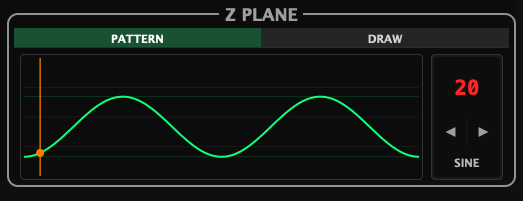
A separate Z-axis pattern selector lets you stack any XY pattern with any height behavior — Static, Cascade, Rise, Dive, Oscillate, Bounce, Drift, Step or Ramp. Per-corner height bias (Front / Back / Left / Right) lets you shape the dome by position: keep the front low and the rear ceiling-high, or any combination in between. This is the difference between a surround auto panner and a true spatial auto panner — vertical motion isn’t an afterthought, it’s a first-class control surface.
XYZ automation export
Due to DAW architectural limitations, it is not possible to use Vert1go directly on an object channel,. for this reason we have included a way to record the XYZ coordinates automation data to your DAW so that it can be copied across and use directly on your DAW's native object panner. It's possible to export just the centre point of the pan for mono, the left and right for stereo, left right and mono, and even, in multi input mode any or all of the inputs (up to 16 channels) separately as XYZ automation triplets.
Surround Input
Along with mono and stereo input, Vert1go accepts surround input up to 9.1.6, meaning that you can use it on a surround bus and 'spin the room'! You can also choose how far spread out you prefer the input to be.
Draw your own paths
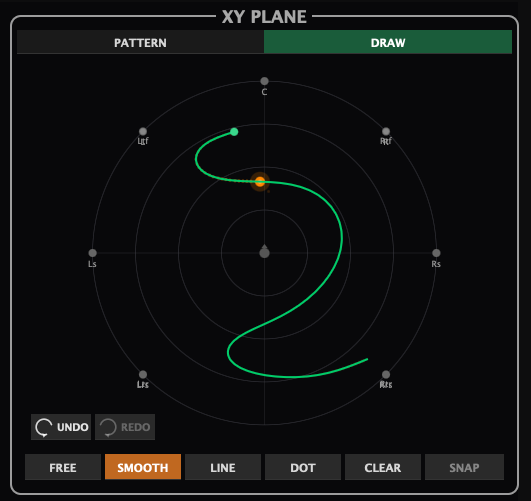
The Draw tab lets you sketch a custom movement path directly onto Vert1go’s spatial visualizer. Freehand a figure-eight, sketch your initials, or place individual dots in DOT mode with per-dot lengths in milliseconds or beat divisions (1/4 → 1/32). For the Z plane, choose from 100 preset height shapes or hand-draw your own curve. Once drawn, the path locks to bar, beat or free-run rate — Vert1go will replay it in perfect time, every time the transport rolls.
Dot Mode
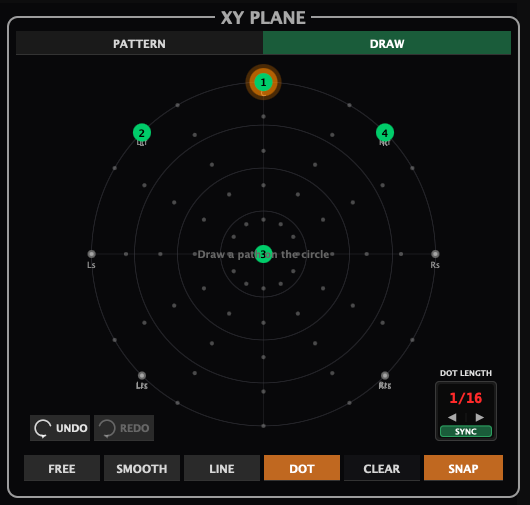
Dot mode allows you to add specific points in the XY plane in numerical order, the pan then 'teleports' between each dot, the dots can be snapped to the grid, moved or deleted. Also you can set the length for how long the dot lasts in beats or milliseconds.
Sample-accurate DAW tempo sync
Every Vert1go pattern can be locked to your session tempo with sample-accurate phase alignment derived directly from the DAW playhead. Choose from 77 tempo divisions — 1/32 through 64 bars, straight, dotted or triplet — and the movement lines up perfectly with the grid each time you press play. Need something free-running? Flip to Free mode and dial in any rate from 0.01 Hz (a 100-second sweep) up to 10 Hz.
A modulation FX chain built for spatial mixes
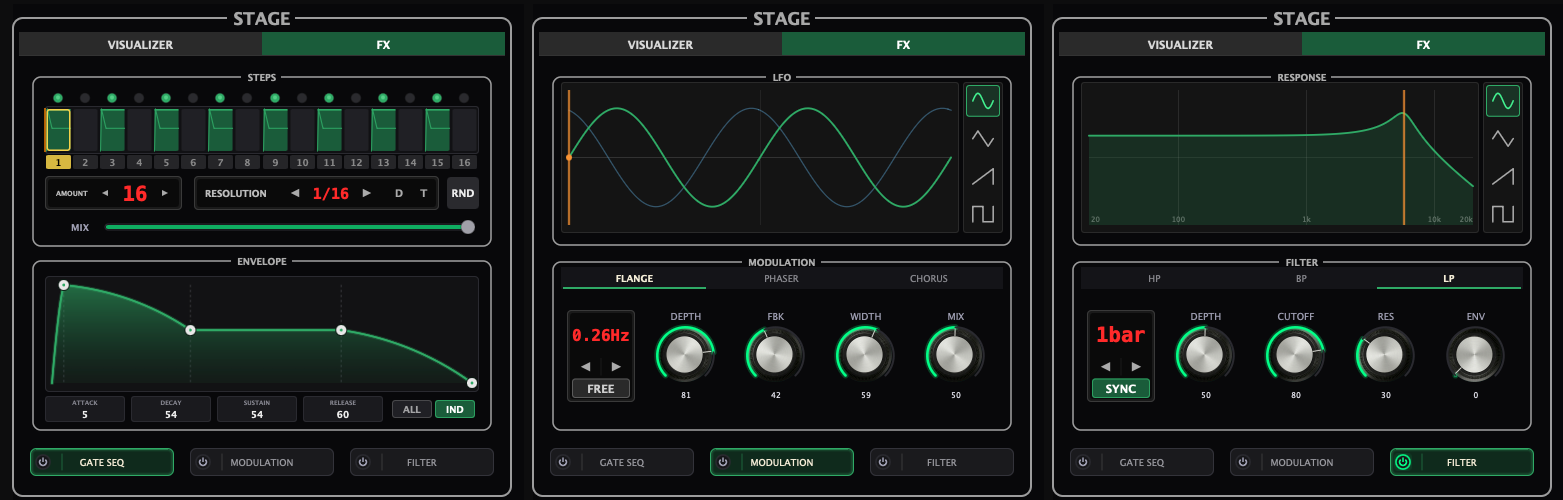
Three time-based effects, post-pan, tempo-synced — designed to interact with movement, not fight it:
Gate — eight-pattern, 32-step trance gate with full ADSR per step, dotted/triplet feels, 1/4 through 1/128 resolutions, and a wet/dry mix. Pair it with Orbit for textbook surround trance-gate, or with Drift for organic breath.
Mod — three modes (Flange / Phaser / Chorus) sharing one polished control set: tempo-sync or Hz rate, four LFO shapes (sine / triangle / saw / square), depth, feedback, and a stereo LFO width that offsets L/R phase up to 180° for genuine width.
Filter — cyclic auto-filter sweep in LP / BP / HP modes with selectable LFO shape and an envelope-follower amount that layers input-level-driven movement on top of the LFO. Classic auto-wah / envelope filter behavior, surround-safe.
128 factory presets to get moving fast
Vert1go ships with 128 hand-tuned factory presets — from gentle orbits and subtle pads to cinematic sweeps, rhythmic trance gates, resonant FX and full-dome chaos. Use them as starting points, A/B them against your own, or just hit “next preset” and let the plugin do the creative heavy lifting.
Format support
Mono, stereo and multichannel input up to 9.1.6. Output formats from mono and stereo through 4.0, 5.0, 5.1, 6.0, 7.0, 7.1, 7.1.2, 7.1.4, 7.1.6 and 9.1.6 — full top-layer height playback for Dolby Atmos rooms, Ambisonics compatible up to 7OA, Apple Spatial Audio binaural mixes and any traditional surround workflow. AU, VST3 and AAX. macOS Apple Silicon & Windows 10/11.
Vert1go — a unique spatial auto panner with unlimited creative potential .
Plugin Formats
DAW Compatibility
System Requirements
A surround-capable DAW macOS macOS 14 (Sonoma) or newer · Universal Binary Runs natively on both Apple Silicon and Intel Macs, also loads in Rosetta-mode hosts· AU, VST3, or AAX host · Windows Windows 10/11 (64-bit) · VST3 or AAX host · Intel/AMD CPU (SSE2)
Screenshots
Explore other plugins
From the rest of the max1mus audio range.
V3RB-X5
INTRODUCTORY OFFER FOR $75 USD - ENDS 14th OCT!
What Users Are Saying
“Hi, keep up the good work. Easy to create relatively complex panning paths compared with native Nuendo multi panner or Dolby music panner for BED based paths.”
MikeA
“The demo of Vert1go pinned me to every wall – and the ceiling – of my little studio space. What an absolute knockout! I am agog. I can’t wait to hear what you come up with in the months and years to come!”
Randy Walters
More details on Randy Walters right here!“This plugin is geared a lot more towards music mixers, it feels more creatively accessible, it feels a little easier.”
David Stagl
Check out David's Goingto11 YouTube channel“max1mus audio have managed to release something that has the potential to make the life of many dolby atmos producers significantly easier, it's not only an excellent upmixing plugin at a reasonable price point, it also has a few very innovative features that we have not seen before in the immersive audio domain.”
Michael G wagner
Check out Michael's YouTube review!“max1mus audio plugins are amongst the most intuitive ones I’ve ever seen. They are made for artists and producers wanting to achieve professional results in a quick way, without needing a big learning curve that slows down the creation and production workflow. They are plug-and-play, no manual needed. And they are very reasonable priced! Other companies focus more on engineers in post-production, with big budgets, who need more features and the highest possible quality. But those plugins can be hard, both on your system and your budget. As a music creator/producer the max1mus approach gives me the easiest and fastest workflow. Without any compromise on quality!”
Gert Keunen
See Gerts's book about producing immersive audio!