Mult1CompSurround Multiband Compressor & Frequency Router for Atmos and Immersive Mixing.INTRODUCTORY OFFER
Features
- Surround multiband compressor for beds from 5.1 to 9.1.6
- Up to eight bands per speaker on surround channels, each with its own compressor
- Up to 16 bands across linked object tracks
- SPEED, RATIO, HEADROOM and parallel COMP MIX for every band at once
- ALL setup that every speaker follows, with stereo link
- Mute and solo on every band and every speaker
- Send any band to any speaker
- Bass management presets to the LFE or L+R at 80 Hz and 120 Hz
- Sub bass synthesis on the LFE
- Linear phase or minimum phase, 6 to 48 dB per octave
- 16 groups of up to 16 members
- Automatable gains, crossovers, mutes, solos and global controls
- A/B/C/D comparison slots
- Built-in help in 22 languages
Video Walkthrough
This demo showcases spatial audio. Choose your listening setup for the best experience.
Choose your listening setup above to get started
This demo features spatial audio. Selecting headphones, surround speakers, or stereo ensures you hear the best version for your setup.
Mult1Comp: Surround Multiband Compressor for Dolby Atmos and Immersive Mixing
Mult1Comp does three jobs.
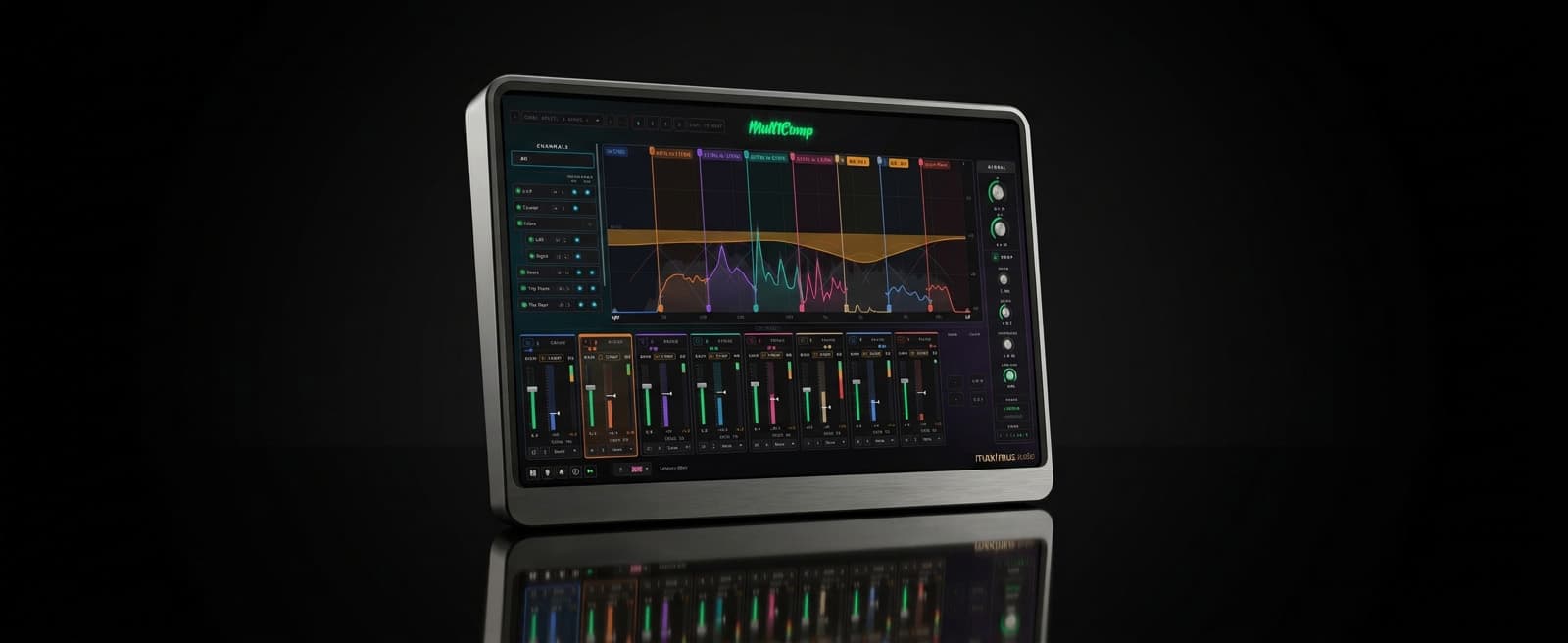
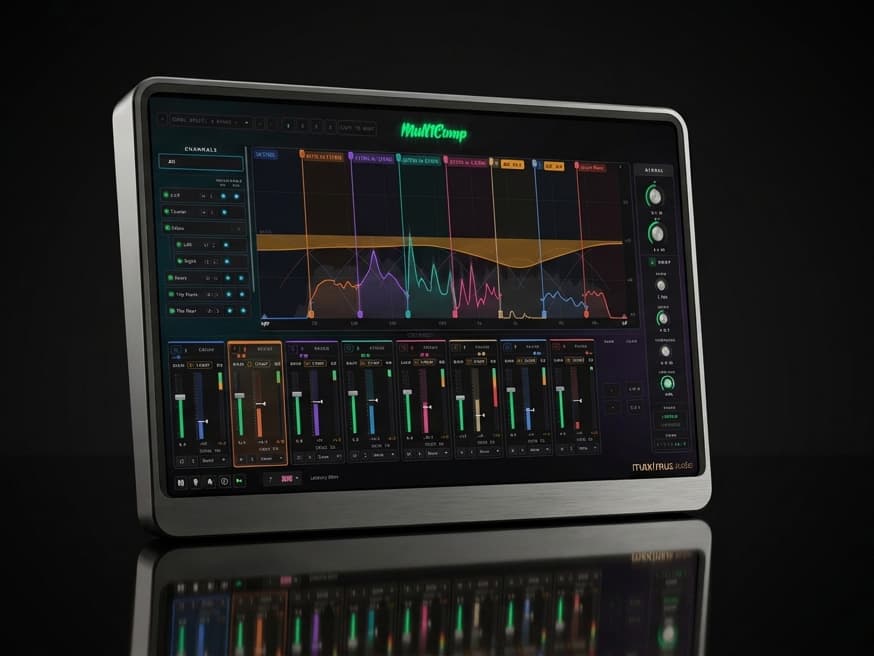
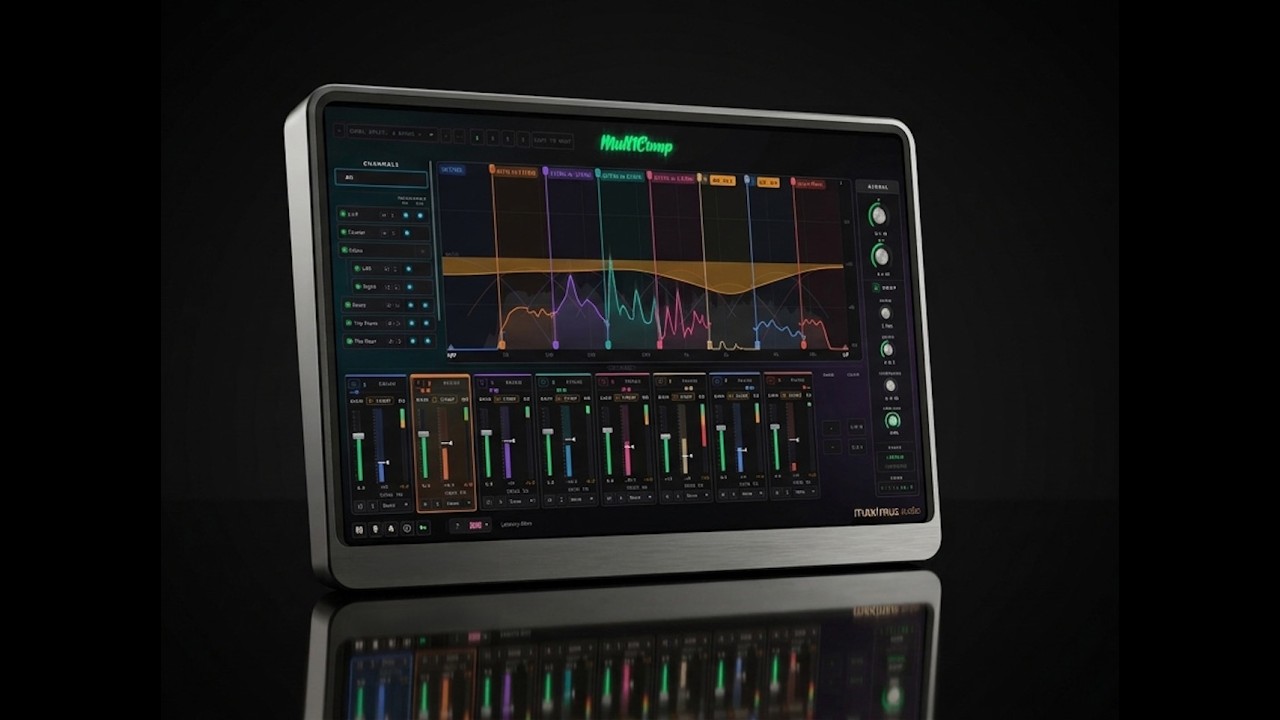
Firstly, it is a surround multiband compressor, with up to eight bands on every speaker and a compressor on every band.
On linked object tracks it can split one source into up to 16 bands, one per object, so your renderer can place each range in its own pan position, acting as a frequency disperser, an alternative decorrelation method.
It can also act as a frequency router on a surround channel or bus, sending any band of any speaker to another speaker, which covers bass management too.
Surround multiband compression, 5.1 to 9.1.6
On a bed from 5.1 up to 9.1.6, every speaker splits into up to eight bands, the height speakers and the LFE among them. Every band has its own compressor: set its threshold in its cell, with its gain reduction metered beside it. Timing follows each band's range, so bass bands react slowly and treble bands quickly.
SPEED, RATIO, HEADROOM and COMP MIX shape every band at once, and COMP MIX gives parallel compression. IN drives every band harder together. Set up ALL once and every speaker follows it, then change any speaker on its own. Stereo pairs stay linked, or split a pair to set each side apart.
Hold down the low end of the surrounds without touching the front.
Control the top of the height speakers on their own.
Mute or solo any band or any speaker to hear what it is doing.
The display draws the compression as one curve across the spectrum, so the whole split reads at a glance.
Splitting one source across up to 16 objects
Put the same source on several object tracks and add Mult1Comp to each. The instances link automatically and each one takes a band, up to 16 in a group. Open any of them to see and edit the whole group's crossover and compression in one window, then place each object in your renderer as usual.
Every band has its own compressor here too, and the GLOBAL controls move the whole group at once.
Spread a pad with its low end in front, its mids at the sides and its top in the height objects.
Lift only the top of a source into the overhead objects and keep its body at ear level.
Automate the high band moving while the low end stays where it is.
The bands normally form a crossover that sums back to the source. Pull an edge apart to let two bands overlap or leave a gap between them. There are sixteen groups, each with up to sixteen members, and GROUP BYPASS compares the split with the source as it was.
Frequency routing and bass management
On a bed, any band can also leave its speaker for another one. Each band is compressed before it is routed, so it cannot pile up on a busy speaker when it gets loud.
Bass management to the LFE or to L and R, at 80 Hz or 120 Hz, with the factory presets.
Clean up the heights by sending their low end to the speakers below.
Fill the heights from the top of the front or surround speakers.
Sub bass synthesis on the LFE
Add a sub an octave below whatever reaches the LFE, for more weight from a thin source. Choose a sine, triangle or square character, or MULTI for a second, deeper sub, then set its tuning, drive and mix. LFE MASTER sets the level of everything leaving on the LFE.
Linear phase or minimum phase
LINEAR keeps every band time aligned, so bands from one source arrive together on different speakers. Its latency is around 85 ms, and the host compensates for it. MINPHASE has almost no latency, for tracking through the plugin. Slopes run from 6 dB per octave, gentle enough to spread a source without it sounding split, to 48 dB per octave for hard splits and bass management.
Presets and comparison
Equal Split presets from 2 to 8 bands, plus 12 and 16 on object tracks, and Bass Management presets at 80 Hz and 120 Hz give you a starting point. A/B/C/D slots compare four settings, and your own presets save from the header.
Built-in help in 22 languages
Hover tips explain every control, in any of 22 languages. Set the language once and every max1mus plugin on the machine follows it.
Format support
Bed mode on every layout from 5.1 up to 9.1.6, including the height speakers and the LFE. Object mode on mono and stereo tracks.
Plugin Formats
DAW Compatibility
System Requirements
A surround-capable DAW macOS macOS 14 (Sonoma) or newer · Universal Binary Runs natively on Apple Silicon and Intel Macs, and loads in hosts running under Rosetta · AU, VST3 or AAX host Windows Windows 10/11 (64-bit) · VST3 or AAX host
Screenshots
Explore other plugins
From the rest of the max1mus audio range.
V3RB-X5
INTRODUCTORY OFFER FOR $75 USD - ENDS 14th OCT!